Updated July 2026: This guide has been refreshed to reflect the current HPC software landscape, including exascale systems, GPU-accelerated workflows, cloud-native HPC, containerized reproducibility, and newer Python/AI tooling such as JAX, Dask, and PyTorch alongside MATLAB, Julia, and SciPy.
Introduction to High-Performance Scientific Computing
High-performance scientific computing underpins modern research and engineering, enabling breakthroughs in climate modeling, fusion research, aerospace design, genomics, drug discovery, and AI-assisted simulation. In 2026, the best scientific computing tools must do more than run fast on a workstation. They need to scale across clusters, GPUs, cloud infrastructure, and increasingly heterogeneous systems that combine CPUs, accelerators, high-speed interconnects, and large shared storage.
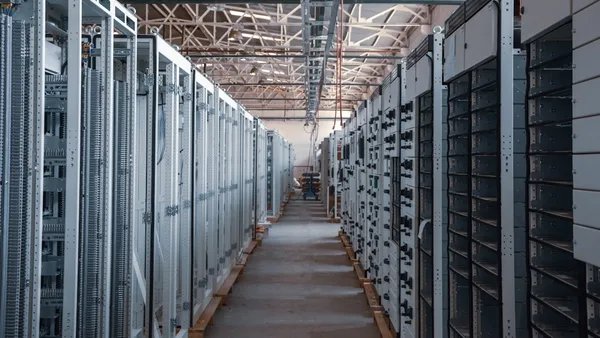
High-performance computing (HPC) refers to the use of supercomputers, clusters, and parallel computing architectures to solve scientific and engineering problems that exceed the capacity of standard desktops. Modern HPC also overlaps with AI, data analytics, and digital twins, where simulations generate data and machine learning models help accelerate, approximate, or optimize complex physical systems.
This guide compares leading scientific computing tools for high-performance simulations and explains how to choose the right stack for research, engineering, and production-scale workloads.
Key Features to Consider in Scientific Computing Tools
Choosing the right high-performance scientific computing tools depends on your workload, team skills, infrastructure, and budget.
Computational Performance and Scalability
- Parallelism: Look for support for multicore CPUs, distributed memory, MPI, GPUs, and accelerators.
- Scalability: Tools should scale from laptops to clusters and cloud HPC environments without major rewrites.
- Accelerator support: GPU computing through CUDA, ROCm/HIP, OpenCL, or higher-level frameworks is now central to many simulation workflows.
- Efficient algorithms: Solver quality, memory layout, numerical stability, and communication overhead often matter more than raw language speed.
Integration and Compatibility
- Cluster schedulers: Slurm, PBS Professional, LSF, and Grid Engine remain common in HPC centers.
- Cloud platforms: AWS, Microsoft Azure, Google Cloud, and Oracle Cloud all support HPC workloads with fast networking and specialized instances.
- Language ecosystems: Python, Julia, MATLAB, C/C++, and Fortran remain important, often used together in hybrid workflows.
Robustness and Usability
- Reproducibility: Container support through Apptainer/Singularity, Docker-compatible images, Spack, Conda, and environment modules is increasingly important.
- Visualization: Strong plotting, dashboards, and integration with ParaView, VisIt, matplotlib, Plotly, or MATLAB visualization tools can reduce analysis time.
- Workflow automation: Pipelines, notebooks, version control, and CI/CD testing help teams move from experiments to repeatable production runs.
Community and Support
- Active development: HPC software must keep pace with new CPU, GPU, and interconnect architectures.
- Documentation: Good examples and reference material are essential for complex simulations.
- Commercial support: Enterprise teams may prioritize vendor-backed platforms for reliability, compliance, and training.
Overview of Leading Tools: MATLAB, Julia, SciPy, and More
The 2026 scientific computing landscape is not defined by one tool. Most high-performance teams use a stack that combines languages, libraries, solvers, schedulers, and visualization tools.
| Tool | Type | High-Performance Strengths | Best Fit |
|---|---|---|---|
| MATLAB | Commercial computing platform | Parallel Computing Toolbox, GPU support, Simulink, strong visualization | Engineering teams, prototyping, model-based design |
| Julia | Open-source language | JIT compilation, multiple dispatch, distributed computing, GPU packages | High-performance numerical code with modern syntax |
| SciPy/NumPy | Python ecosystem | Mature numerical libraries, broad interoperability | Scientific Python workflows and research pipelines |
| JAX | Python accelerator framework | XLA compilation, automatic differentiation, GPU/TPU acceleration | Differentiable simulations, ML-science workflows |
| Dask/Ray | Distributed Python frameworks | Parallel and distributed task execution | Scaling Python analytics and parameter sweeps |
| PETSc/Trilinos | HPC solver libraries | Scalable linear/nonlinear solvers, MPI-native design | Large-scale PDEs and engineering simulations |
| Altair HPCWorks | Commercial HPC suite | Scheduling, monitoring, remote access, cloud/HPC operations | Enterprise cluster and hybrid HPC management |
1. MATLAB
MATLAB remains widely used in engineering, controls, signal processing, numerical modeling, and education. Its strengths are productivity, visualization, domain toolboxes, Simulink, and commercial support. For HPC, MATLAB supports parallel pools, distributed arrays, GPU arrays, and integration with clusters and cloud resources. It is often the fastest path from concept to validated engineering model, though licensing costs and performance tuning can be limiting at very large scale.
2. Julia
Julia continues to gain traction for scientific computing because it combines a high-level syntax with strong numerical performance. Its ecosystem includes DifferentialEquations.jl, CUDA.jl, MPI.jl, JuMP, Flux.jl, and SciML tools for simulation, optimization, and machine learning. Julia is especially attractive when teams want to avoid the “two-language problem” of prototyping in Python or MATLAB and rewriting performance-critical kernels in C++ or Fortran.
3. SciPy and the Python Ecosystem
SciPy, NumPy, pandas, xarray, matplotlib, scikit-learn, Numba, CuPy, PyTorch, JAX, and Dask make Python the dominant glue language for scientific workflows. SciPy itself is not a full HPC platform, but it integrates well with compiled libraries, GPU frameworks, distributed computing tools, and workflow systems. For many teams, Python is the orchestration layer around optimized native code and cloud or cluster execution.
4. JAX, PyTorch, and AI-Accelerated Science
A major 2026 development is the growing role of AI-native scientific computing. JAX is popular for automatic differentiation, accelerator compilation, and differentiable physics. PyTorch is widely used for neural operators, surrogate models, physics-informed machine learning, and coupling simulations with deep learning. These tools are not replacements for traditional HPC solvers, but they are increasingly part of the simulation stack.
5. HPC Platforms and Solver Libraries
For serious cluster-scale simulation, tools such as PETSc, Trilinos, OpenFOAM, GROMACS, LAMMPS, NAMD, deal.II, MFEM, and domain-specific codes often matter more than general-purpose notebooks. Commercial platforms such as Altair HPCWorks help manage scheduling, monitoring, remote visualization, policy controls, and hybrid cloud bursting.
Desmos and similar web calculators remain useful for education and quick visualization, but they are not designed for high-performance simulations.
Performance Benchmarks and Scalability Analysis
How Are HPC Tools Benchmarked?
The TOP500 list still ranks supercomputers using the High Performance LINPACK benchmark, while HPCG provides a complementary view of memory access and communication-heavy workloads. For AI-related systems, benchmarks such as MLPerf HPC and workload-specific tests are increasingly relevant.
Recent TOP500 lists have been led by exascale systems such as El Capitan, Frontier, and Aurora, showing that the leading edge of HPC is now firmly in the exascale era. However, benchmark rankings do not automatically translate to application performance. Real-world speed depends on I/O, memory bandwidth, interconnect latency, solver design, and how well code uses accelerators.
Scalability Challenges
| Tool | Parallelism Type | Common Limitation |
|---|---|---|
| MATLAB | Parallel pools, distributed arrays, GPUs | Licensing and code refactoring at scale |
| Julia | Threads, distributed computing, MPI, GPUs | Package maturity varies by domain |
| SciPy/Python | Native libraries, Dask/Ray, MPI, GPUs via extensions | Performance depends on compiled backends and avoiding Python bottlenecks |
| JAX/PyTorch | GPU/TPU acceleration, distributed training | Best for differentiable/array workloads, not every simulation |
| PETSc/Trilinos | MPI-native solvers | Steeper learning curve |
| HPCWorks | Platform-level scaling and scheduling | Commercial licensing and deployment complexity |
Integration with HPC Clusters and Cloud Platforms
Modern HPC workflows commonly span on-premises clusters, national labs, university systems, and commercial cloud.
On-Premises vs. Cloud
On-premises clusters remain preferred for sustained, predictable workloads and sensitive data. Cloud HPC is attractive for burst capacity, collaboration, managed infrastructure, and access to specialized GPUs or high-memory instances.
Cloud providers now offer HPC templates, high-speed networking, parallel file systems, and scheduler integrations. Examples include AWS ParallelCluster, Azure CycleCloud, and Google Cloud HPC Toolkit. Still, users must plan carefully for data movement, storage costs, security, compliance, and reproducibility.
| Tool | Cluster Support | Cloud Integration | Security Considerations |
|---|---|---|---|
| MATLAB | Strong | Strong | License and data governance planning required |
| Julia | Strong via MPI/packages | Good | User-managed environment and secrets |
| SciPy/Python | Strong | Strong | Depends on stack and deployment model |
| JAX/PyTorch | Strong for GPUs | Strong | Model/data governance needed |
| HPCWorks | Strong | Strong hybrid support | Enterprise controls available |
Containerization and Portability
Containers are now standard for reproducible HPC. Apptainer/Singularity is widely used in academic and government HPC because it fits shared cluster security models. Docker remains common in cloud and development environments. Spack and EasyBuild help build optimized scientific software across many architectures.
User Experience and Community Support
Usability is a major differentiator because HPC systems are complex.
| Tool | Documentation | Community | Update Pattern |
|---|---|---|---|
| MATLAB | Excellent | Large commercial/academic base | Regular releases |
| Julia | Good and improving | Active open-source community | Frequent package updates |
| SciPy/Python | Excellent | Very large global ecosystem | Frequent releases |
| JAX/PyTorch | Strong | Large AI/science communities | Rapid development |
| PETSc/Trilinos | Strong technical docs | HPC specialist communities | Active development |
| HPCWorks | Vendor documentation | Commercial support | Vendor release cycle |
For teams with mixed expertise, Python and MATLAB are often easiest to adopt. Julia can be highly productive for performance-minded researchers. PETSc, Trilinos, and MPI-based codes are more demanding but remain essential for large-scale engineering and physics simulations.
Cost and Licensing Models
| Tool | Cost Model | Notes |
|---|---|---|
| MATLAB | Proprietary | Academic and enterprise licensing available |
| Julia | Open source | Free, permissive ecosystem |
| SciPy/Python | Open source | Free; support available through vendors/consultants |
| JAX/PyTorch | Open source | Free; cloud GPU costs can dominate |
| PETSc/Trilinos | Open source | Free; requires HPC expertise |
| HPCWorks | Commercial | Enterprise pricing and support |
Open-source tools reduce licensing barriers, especially for large clusters. Commercial tools can justify their cost through support, validated workflows, ease of use, and enterprise management features. In cloud HPC, compute, storage, and data transfer costs often exceed software costs.
Case Studies: Real-World Applications in Research
Structural Engineering
Finite element simulations use HPC to model buildings, bridges, aircraft, vehicles, and crash behavior. MATLAB, Python, commercial CAE tools, and solver libraries often work together in these workflows.
Molecular Dynamics and Drug Design
Codes such as GROMACS, NAMD, AMBER, and LAMMPS use GPUs and clusters to model proteins, materials, and molecular interactions. Python tools often handle preprocessing, analysis, and visualization.
Climate Modeling and Weather Prediction
Climate and weather models require massive parallelism, high-throughput storage, and long-running simulations. These workloads depend heavily on Fortran/C/C++, MPI, NetCDF, Python analysis tools, and visualization platforms.
Autonomous Vehicles and Robotics
Simulation environments combine physics engines, synthetic data, sensor modeling, AI training, and control systems. MATLAB/Simulink, Python, C++, ROS, PyTorch, and cloud GPU infrastructure are common.
Genomics
Genomics pipelines rely on scalable data processing, workflow tools, Python/R ecosystems, and cloud or cluster execution for alignment, variant calling, and population-scale analysis.
Choosing the Right Tool for Your Simulation Needs
- Match the tool to the workload. Use PETSc, Trilinos, or domain solvers for large PDEs; use Python/JAX/PyTorch for AI-science workflows; use MATLAB for engineering productivity.
- Consider scale. A workstation workflow may not survive unchanged on 10,000 cores.
- Prioritize interoperability. The best HPC stacks combine Python, compiled libraries, containers, schedulers, and visualization.
- Plan for GPUs. Many new systems are accelerator-heavy, so CPU-only code may underperform.
- Account for total cost. Include licenses, cloud usage, storage, support, and staff expertise.
- Require reproducibility. Containers, versioned environments, and automated workflows are no longer optional for serious research.
Conclusion and Future Trends in Scientific Computing
The best scientific computing tools for high-performance simulations in 2026 are those that combine speed, scalability, usability, and ecosystem depth. MATLAB remains strong for engineering productivity, Julia is compelling for modern high-performance numerical programming, SciPy anchors the Python scientific stack, and JAX/PyTorch are expanding the role of AI in simulation. For large-scale production runs, solver libraries, MPI-native codes, and HPC management platforms remain critical.
Future Trends
- AI-assisted simulation: Surrogate models, neural operators, and differentiable programming will accelerate design loops.
- Hybrid cloud HPC: More organizations will mix owned clusters with cloud burst capacity.
- Accelerator-first computing: GPUs and specialized accelerators will shape software design.
- Reproducible workflows: Containers, workflow engines, and environment managers will become baseline requirements.
- Security and data governance: Sensitive research and regulated industries will demand stronger controls.
FAQ: Scientific Computing Tools High-Performance
Q1: What is high-performance computing in scientific research?
A: HPC uses clusters, supercomputers, and parallel architectures to solve scientific and engineering problems that are too large or complex for standard computers.
Q2: Which tools are best for large-scale simulations?
A: For large simulations, consider PETSc, Trilinos, Julia, MPI-based domain codes, MATLAB with parallel tools, and Python stacks built around optimized libraries.
Q3: Are there free high-performance scientific computing tools?
A: Yes. Julia, SciPy, NumPy, JAX, PyTorch, PETSc, Trilinos, OpenFOAM, GROMACS, and many other HPC tools are open source.
Q4: Can scientific computing tools run in the cloud?
A: Yes. Most modern tools can run on cloud HPC infrastructure, but users must manage cost, data movement, security, and reproducibility.
Q5: Is Python fast enough for HPC?
A: Python can be effective when it orchestrates optimized native libraries, GPU frameworks, or distributed systems. Pure Python loops are usually not suitable for heavy numerical kernels.
Q6: Do I need special hardware?
A: Small simulations can run on workstations. Large-scale models usually require multicore servers, GPUs, clusters, or cloud HPC resources.
Bottom Line
Selecting the right high-performance scientific computing tools in 2026 depends on your simulation scale, hardware, budget, and team expertise.
- MATLAB: Best for engineering workflows, visualization, and commercial support.
- Julia: Strong for high-performance numerical programming with modern syntax.
- SciPy/Python: Best general-purpose ecosystem for scientific workflows and integration.
- JAX/PyTorch: Best for AI-driven and differentiable scientific computing.
- PETSc/Trilinos/domain solvers: Best for serious cluster-scale simulation.
- HPCWorks and similar platforms: Best for enterprise HPC operations and hybrid infrastructure.
The strongest strategy is rarely a single tool. Build an interoperable, reproducible stack that can scale from prototype to production and adapt as HPC hardware continues to evolve.