MLXIO
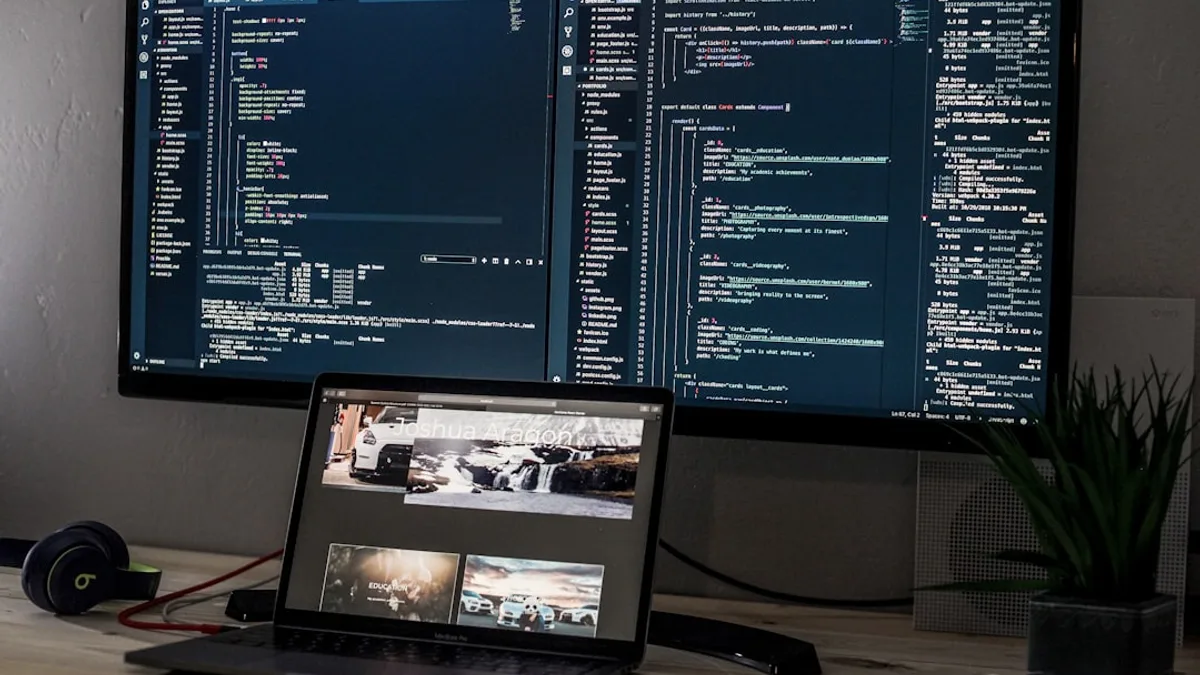
turned on laptop computer
TechnologyMay 23, 2026· 5 min read· By MLXIO Insights Team

Windows 11 Taskbar Finally Escapes Its 5-Year Lockdown

Share

MLXIO Intelligence

Analysis Snapshot

72
High
Confidence: MediumTrend: 10Freshness: 95Source Trust: 90Factual Grounding: 92Signal Cluster: 20

High MLXIO Impact based on trend velocity, freshness, source trust, and factual grounding.

Thesis

High Confidence

Microsoft is testing Windows 11 taskbar changes that restore major Windows 10-era controls, but the comeback is still limited to Insider builds and lacks full feature parity.

Evidence

  • A new Windows Insider Preview build lets the Windows 11 taskbar dock to the bottom, top, left, or right edge of the screen.
  • Windows can remember different icon alignment, label, and icon grouping settings for each taskbar position.
  • Microsoft is also testing a smaller taskbar mode with reduced taskbar height and icon size.
  • Auto-hide, the tablet-optimized taskbar, touch gestures, and the Search box are not yet ready for alternate taskbar positions.

Uncertainty

  • Microsoft has not committed to a final release schedule for these controls.
  • Multi-monitor parity is unclear because different taskbar positions per monitor are only under evaluation.
  • The features could change before leaving Insider testing.

What To Watch

  • Whether the restored taskbar controls reach stable Windows 11 builds.
  • Support for auto-hide, touch gestures, Search, and tablet-optimized behavior in alternate positions.
  • Microsoft's decision on different taskbar positions per monitor.

Verified Claims

Microsoft is testing a Windows Insider Preview build that restores the ability to dock the Windows 11 taskbar to any edge of the screen.
📎 The article says users can dock the taskbar to the bottom, top, left, or right edge of the display in the new Insider build.High
Windows 11 launched without taskbar positioning options that existed in Windows 10 and older Windows versions.
📎 The source says docking the taskbar to any edge was possible in Windows 10 and many older versions but had been missing from Windows 11 since launch.High
The new Windows 11 taskbar testing includes separate behavior settings for different taskbar positions.
📎 The article says users can choose different icon alignment, label, and icon grouping preferences depending on taskbar position, and Windows will remember them.High
Some taskbar features are not yet ready for alternate taskbar positions in the current Windows 11 testing.
📎 The article lists auto-hide, the tablet-optimized taskbar, touch gestures, and the Search box as not ready or unsupported for alternate positions.High
Microsoft is also testing a smaller Windows 11 taskbar mode with reduced taskbar height and smaller icons.
📎 The article says Microsoft is testing a smaller taskbar mode that reduces the height of the taskbar and the size of its icons.High

Frequently Asked

Can Windows 11 move the taskbar to the top, left, or right side of the screen?

In the new Windows Insider Preview build, Microsoft is testing support for docking the Windows 11 taskbar to the bottom, top, left, or right edge of the display.

Was taskbar edge docking available in Windows 10?

Yes. The article says docking the taskbar to any screen edge was standard in Windows 10 and many older Windows versions, but was missing from Windows 11 at launch.

Can Windows 11 remember different taskbar settings for different positions?

In the Insider test build, Windows can remember different icon alignment, label, and icon grouping settings for each taskbar position.

Which Windows 11 taskbar features are not supported yet in alternate positions?

The article says auto-hide, the tablet-optimized taskbar, touch gestures, and the Search box are not yet implemented or supported for alternate taskbar positions.

What is the smaller Windows 11 taskbar mode?

It is a tested mode that reduces the taskbar height and icon size, aimed at giving users more vertical screen space, especially on smaller displays.

Updated on May 25, 2026

Why did it take five years for Windows 11 to get back basic taskbar controls that Windows 10 users already had?

Microsoft is testing a new Windows Insider Preview build that restores several long-missed taskbar options, including the ability to dock the Windows 11 taskbar to any edge of the screen, according to Ars Technica. The update matters because Windows 11’s redesigned taskbar has been one of the operating system’s most visible regressions since launch in 2021.

Why is Microsoft restoring Windows 11 taskbar controls now?

The biggest change is simple: the taskbar can move again.

In the new Insider build, users can dock the taskbar to the bottom, top, left, or right edge of the display. That was standard behavior in Windows 10 and many older Windows versions, but disappeared when Windows 11 arrived with a rebuilt, more restrictive taskbar.

Microsoft is not just restoring placement. It is also testing separate behavior settings for each taskbar position. Users can choose different icon alignment, label, and icon grouping preferences depending on where the taskbar sits, and Windows will remember those choices.

That makes the update more than a nostalgia patch. A vertical taskbar with labels and ungrouped icons can serve a different workflow than a centered bottom taskbar with compact app icons. Windows 11, until now, largely forced users into Microsoft’s preferred layout.

The restoration is still incomplete. Microsoft says several features are not ready for alternate taskbar positions, including auto-hide, the tablet-optimized taskbar, touch gestures, and the Search box.

Microsoft is “evaluating additional features like different taskbar positions per monitor” for multi-monitor setups.

That line is important. Multi-monitor users may not get full parity at first, and Microsoft has not committed to a final release schedule for those extra controls.


How much does the smaller taskbar change the Windows 11 desktop?

Microsoft is also testing a smaller taskbar mode that reduces the height of the taskbar and the size of its icons.

The target is obvious: smaller screens. A shorter taskbar gives laptop users on compact devices like the Microsoft Surface Pro 12 more vertical space without forcing them to hide the taskbar entirely. That is especially useful on displays where every row of pixels matters.

This also answers a long-running complaint from users who preferred the denser Windows 10 desktop. Windows 11’s default interface pushed a cleaner, more spacious look, but the trade-off was less control over density and layout.

Here is where the current test stands:

Windows 11 taskbar feature Status in current testing
Dock taskbar to any screen edge Available in Insider testing
Different settings per taskbar position Available in Insider testing
Smaller taskbar and icons Being tested
Auto-hide in alternate positions Not implemented yet
Tablet-optimized taskbar in alternate positions Not supported yet
Touch gestures and Search box in alternate positions Not supported yet
Different taskbar position per monitor Under evaluation

The smaller taskbar is a practical change, not a cosmetic flourish. It gives Microsoft a way to satisfy compact-UI users while keeping Windows 11’s default design intact for everyone else.

For readers tracking Microsoft’s wider platform issues separately, MLXIO has also covered YellowKey Bypasses BitLocker, Microsoft Has No Patch and Microsoft Defender Zero-Days Hand Hackers SYSTEM Keys. Those are distinct security stories, but they underscore why Microsoft’s Windows decisions get close scrutiny from power users and IT teams.

Can the new Start menu settings fix another Windows 11 sore point?

The taskbar is not the only part of Windows 11 getting more flexible.

Microsoft is also testing a more customizable Start menu, including a user-selectable size setting. Previously, the Start menu changed size dynamically based on the display.

Users will also be able to toggle individual Start menu sections, including pinned apps, the “recommended” area, and “all apps.” That is a direct answer to users who wanted less Microsoft-curated content and more control over the menu’s shape.

One especially useful change: users can hide “recommended” apps advertised from the Microsoft Store while still seeing jump lists and recent files in File Explorer. That separates productivity history from app promotion, instead of forcing both into one decision.

Microsoft says users who keep the recommended section enabled should see better file suggestions, with improved file relevancy that “better reflect[s] what you have been working on.”

The broader read: Microsoft is softening the rigidity of Windows 11 without fully abandoning its modernized design. That is a delicate balance. Too much simplification alienates desktop loyalists; too much configurability can make the interface harder to maintain.

Which Windows Insider channel gets the revived controls first?

Some of the changes are already available in current Windows Insider Preview builds in the Experimental channel. Ars Technica notes that this channel replaced the Canary and Dev channels in Microsoft’s latest beta program shake-up.

Other features are due “over the coming weeks,” but that does not mean every Windows 11 user will see them soon. Experimental Windows features can move slowly, change shape, or fail to reach stable builds in their current form.

Microsoft is framing the work as part of its continued “commitment to Windows quality” push. In this case, quality does not mean a new headline feature. It means restoring control users lost when Windows 11 replaced a familiar taskbar with a narrower one.

The next signal to watch is whether these taskbar and Start menu changes move from Experimental into broader Insider testing. If Microsoft keeps the per-position settings, smaller taskbar, and Start menu toggles intact, Windows 11 will finally recover some of the desktop flexibility it shed at launch.

Key Takeaways

  • Windows 11 is finally restoring taskbar flexibility that many Windows 10 users considered basic.
  • The update could improve workflows for users who rely on vertical taskbars, labels, or ungrouped icons.
  • The rollout is still incomplete, especially for auto-hide, touch features, Search, and multi-monitor setups.

Windows taskbar flexibility

CapabilityWindows 10Windows 11 before this test buildWindows 11 Insider test build
Dock taskbar to screen edgesBottom, top, left, or rightAlternate-edge docking removedBottom, top, left, or right restored
Per-position taskbar behaviorTaskbar controls availableMore restrictive layoutSeparate icon alignment, label, and grouping preferences by position
Incomplete features for alternate positionsNot highlighted as missingNot applicableAuto-hide, tablet-optimized taskbar, touch gestures, and Search box not ready
Multi-monitor taskbar positionsSupported taskbar flexibilityLimited by Windows 11 redesignMicrosoft is still evaluating different positions per monitor
MLXIO

Written by

MLXIO Insights Team

Algorithmic Research & Human Oversight

Powered by advanced algorithmic research and perfected by human oversight. The Insights Team delivers highly structured, cross-verified analysis on emerging tech trends and digital shifts, filtering out the fluff to give you high-fidelity value.

Related Articles

a glass of beer
TechnologyAug 1, 2026

Windows 11’s 8GB RAM Fix Admits PCs Are Choking

Microsoft is tuning Windows 11 for 8GB RAM PCs, exposing how its AI-ready ambitions collide with aging hardware.

8 min read

two pens near MacBook Air
TechnologyAug 4, 2026

EU Pressure Cracks iPhone Clipboard Open to Windows PCs

Apple will open iPhone clipboard syncing to Windows PCs in the EU, but the feature may not arrive until fall 2027.

8 min read

red xbox one game controller
TechnologyAug 3, 2026

Xbox Disc to Digital Leak Puts Your Game Discs at Risk

A leaked Xbox roadmap turns disc preservation into a fight over digital licenses and platform control.

8 min read

red xbox one game controller
TechnologyAug 1, 2026

Xbox Grabbed 200M Players — and Still Couldn't Grow

Xbox won reach, not growth. Sharma’s Four C’s turn the business into a stricter console-first repair plan.

8 min read

black flat screen computer monitor turned on near black computer keyboard
TechnologyJul 31, 2026

213 Layoffs Hit Elder Scrolls Online as Roadmap Slips

ZeniMax says ESO stays online, but 213 studio cuts pushed Update 52 to 2027 and raised fears over the MMO’s future cadence.

6 min read

two black fish finders on a fishing boat
TechnologyAug 5, 2026

Apple CarPlay Grabs the Helm on 2027 Pontoon Boats

Apple CarPlay and Android Auto are coming standard to select 2027 Crest and Balise pontoons with Savvy Navvy navigation.

7 min read

a person holding a smart phone in their hand
TechnologyAug 4, 2026

18-Hour Motorola Razr Fold Leaves Samsung Chasing Hard

Motorola’s Razr Fold hit 18h22m browsing, beating Samsung’s Galaxy Z Fold7 by about four hours.

7 min read

person clicking Apple Watch smartwatch
TechnologyAug 4, 2026

51 New Workout Modes Fix Amazfit Helio Strap's Big Gap

Amazfit Helio Strap firmware 3.22.0.1 adds 51 workout modes, VO2 Max tweaks and phased global rollout via Zepp.

5 min read

Nightstand with a lamp, clock, and chargers.
TechnologyAug 4, 2026

ChargeUltra G4 Bets $40 Can Kill Nightstand Clutter

ChargeUltra G4 packs a charger, clock, alarms, and light into a $40 Kickstarter—but delivery is not due until October 2026.

7 min read

icon
TechnologyAug 4, 2026

WhatsApp Group Chats Grab an @all Panic Button Today

WhatsApp is adding @all alerts, tighter poll controls and easy spin-off groups to stop decisions from getting buried in busy chats.

6 min read

Stay ahead of the curve

Get a weekly digest of the most important tech, AI, and finance news — curated by AI, reviewed by humans.

No spam. Unsubscribe anytime.